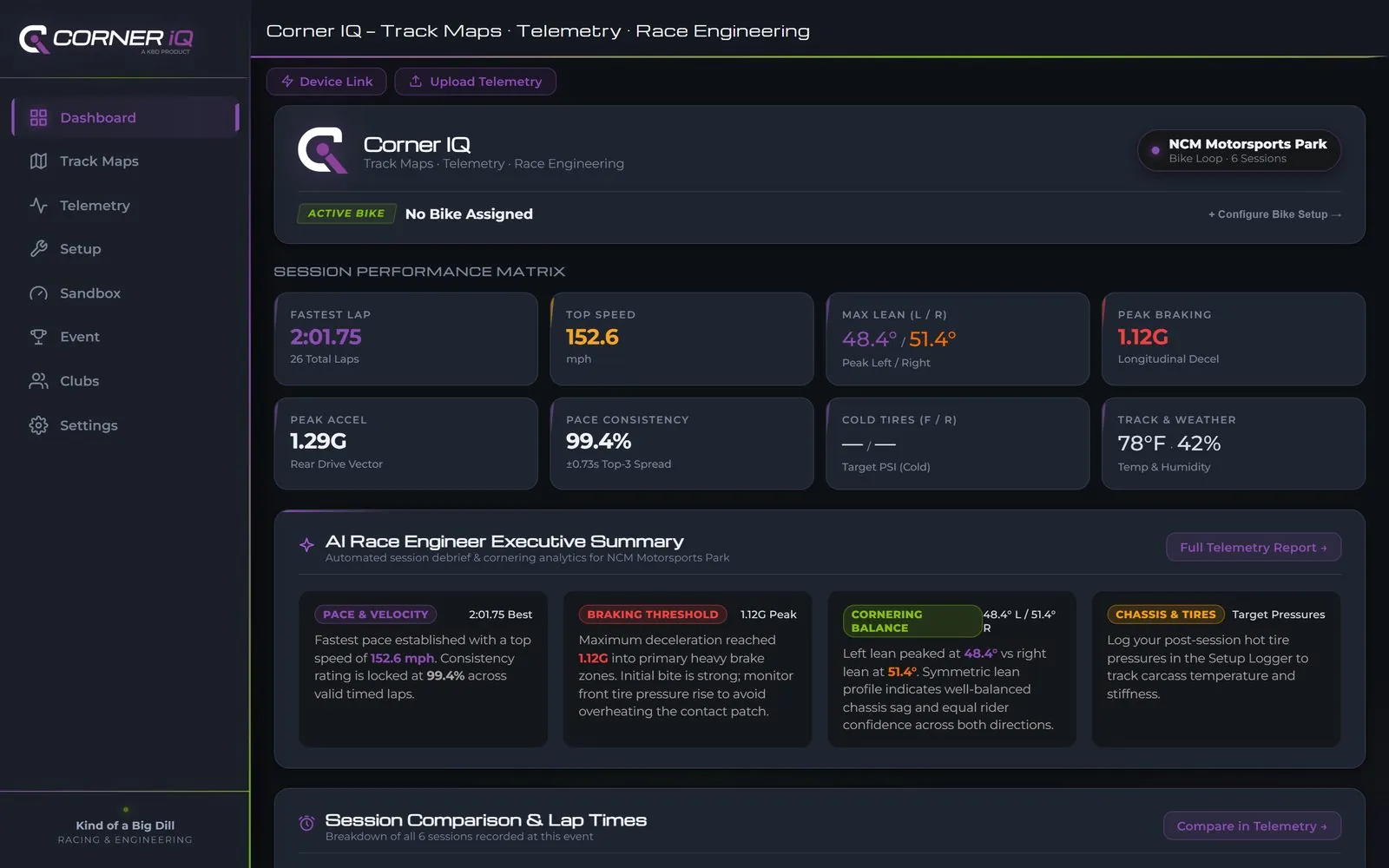
Six real laps, 1.6 seconds apart
Not a mock-up. These are the six fastest laps from a RaceBox Mini on NCM's Bike Loop, straight out of the exports — four different sessions, all within a second and a half of each other. Pick one and see exactly where it won and lost the time.
Open these laps in the full app → No sign-up. Real sessions already loaded.
Time gained & lost
against the fastest lap
Loading real lap data…
Everything you need between sessions
Built by racers, for the fifteen minutes you actually have in the pits between runs.
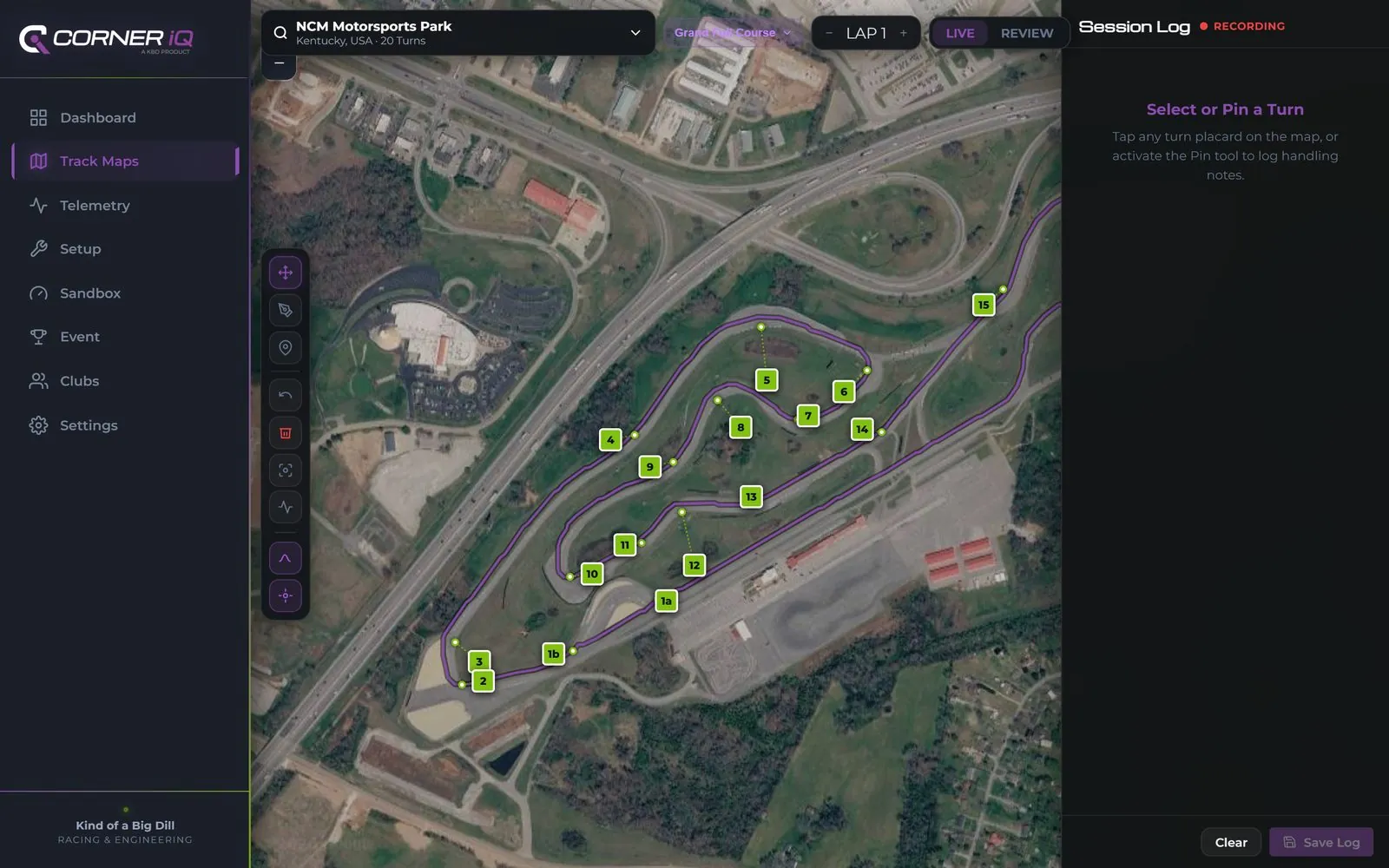
373 circuits worldwide, real corner markers, your race line
Satellite imagery for road courses, bike tracks, and OMRL/ASRA minibike circuits alike. Every official turn is already placarded — tap the map to log a corner-specific note mid-session, or grab the draw tool and lay down your ideal line. This is what the Rider tier is built around: reference and reference alone, no telemetry hardware required.
- Google Satellite imagery, zoomed in tight enough to see the apex curbing
- Log braking markers, tire edge used, and rider/bike feedback per corner
- Draw and compare race lines directly on the map
Drop in a CSV, get a debrief
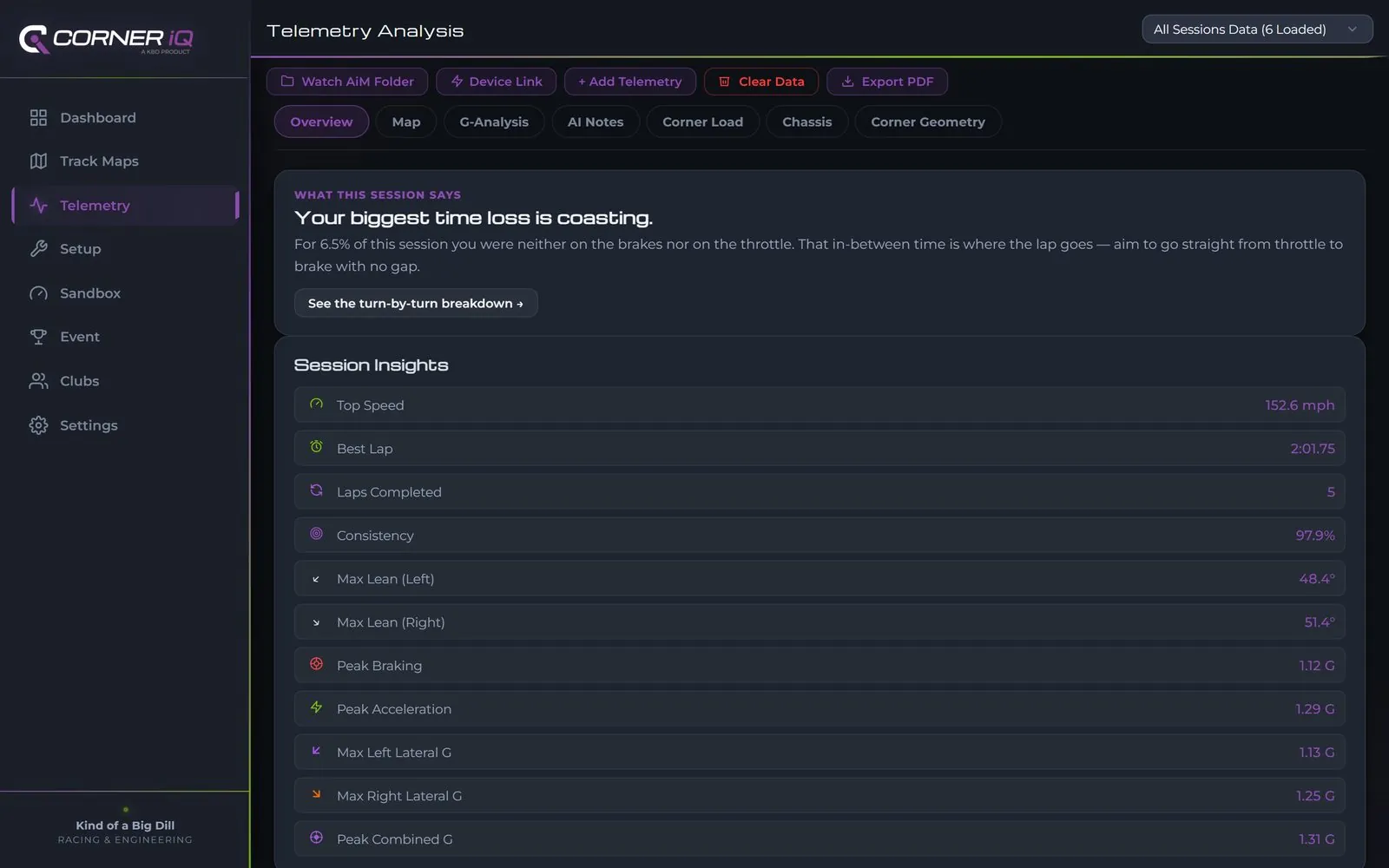
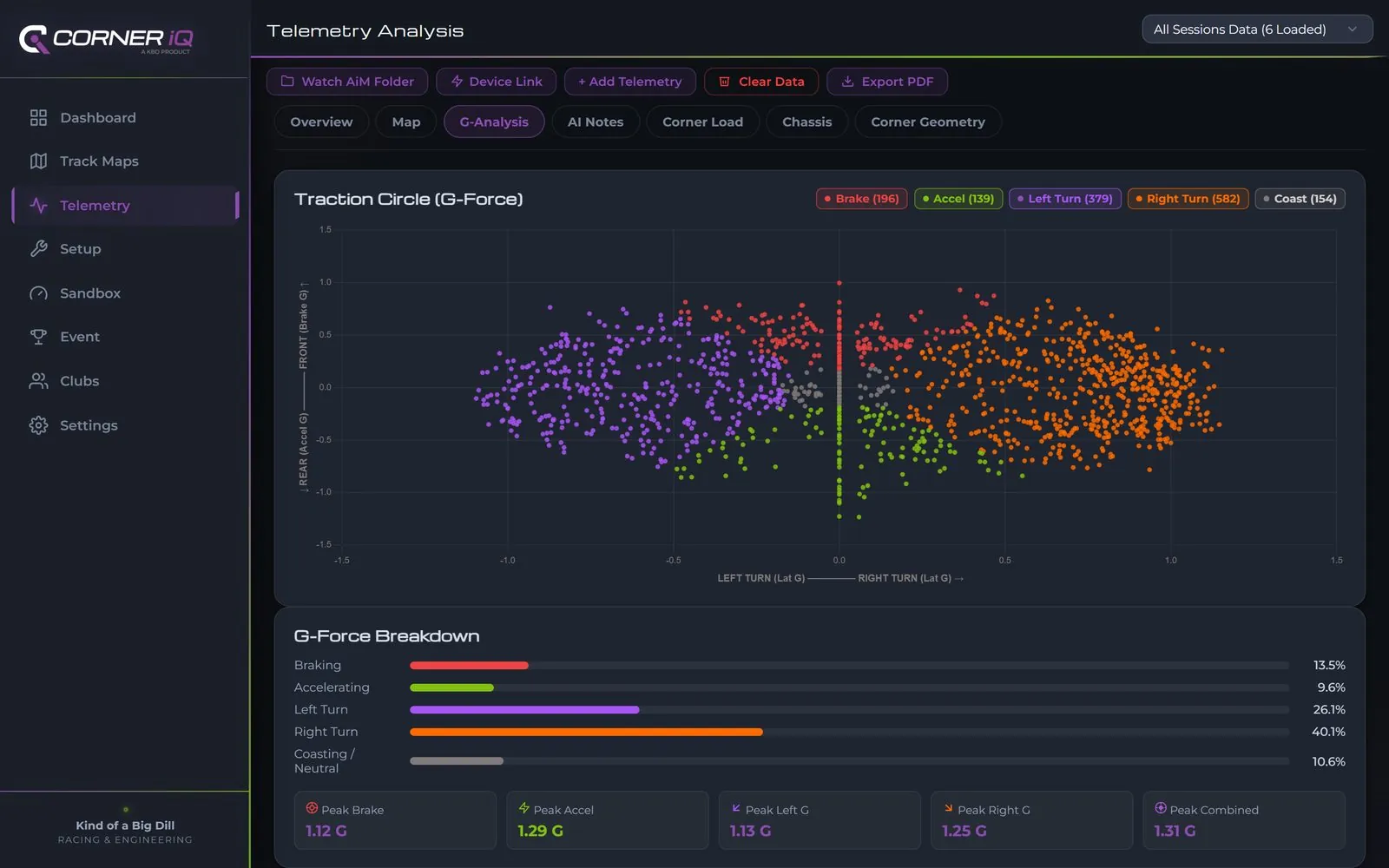
Import RaceBox, AiM Solo, I2M Chrome, VBOX, RaceCapture or iRacing logs directly — no conversion, no spreadsheet wrangling. See a speed-colored GPS overlay, a traction circle broken down by braking, acceleration, and lean, and session insights on top speed, lean angle, and peak G.
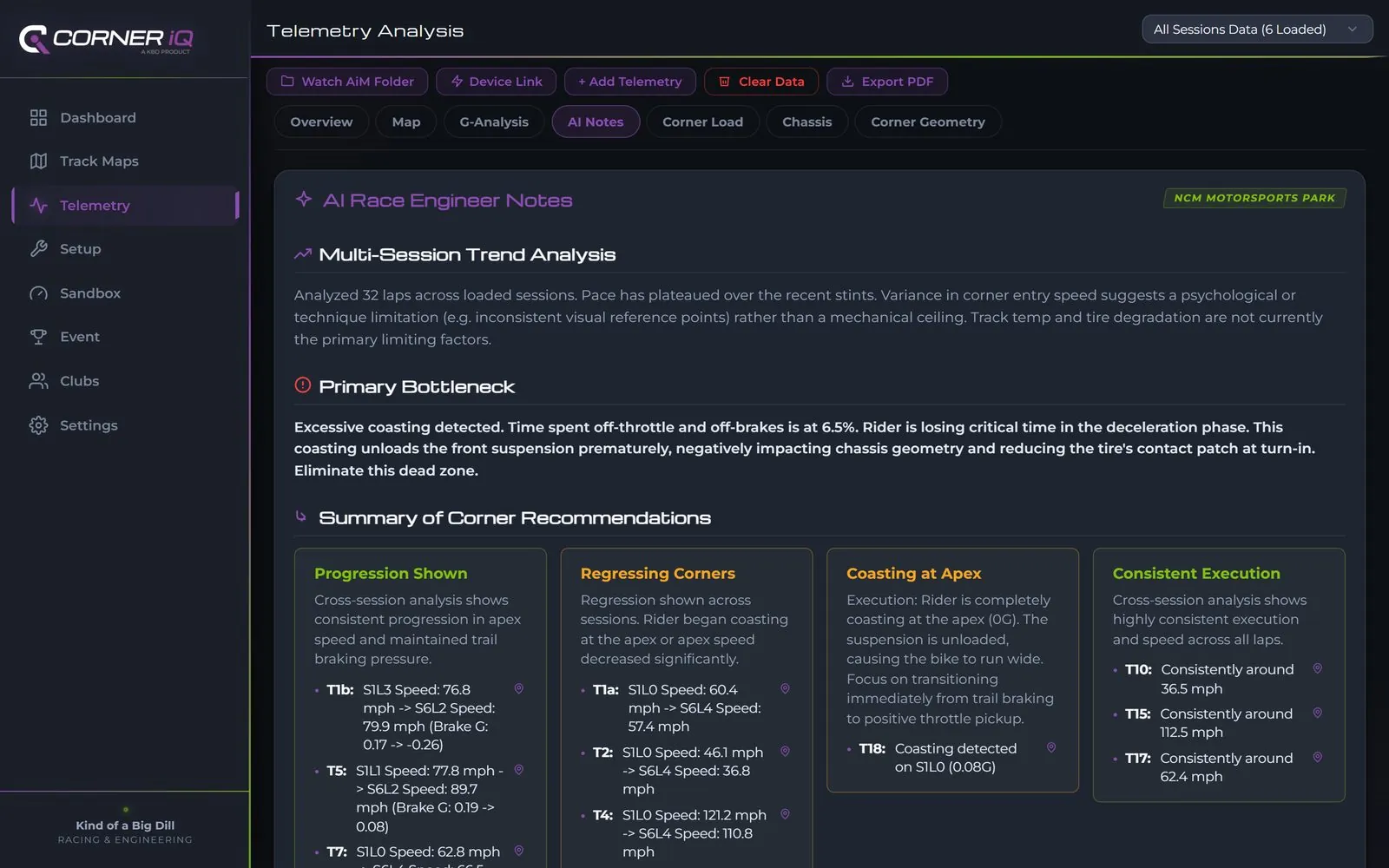
Then let the AI Race Engineer read the whole session: a turn-by-turn breakdown of where you're gaining, where you're coasting, and a concrete action plan for next time out — for both rider and mechanic. If you're running a RaceBox, an AiM Solo or an I2M Chrome, this is the part of the app you will live in.
See the full AI Race Engineer debrief →Chassis and tire notes that travel with you
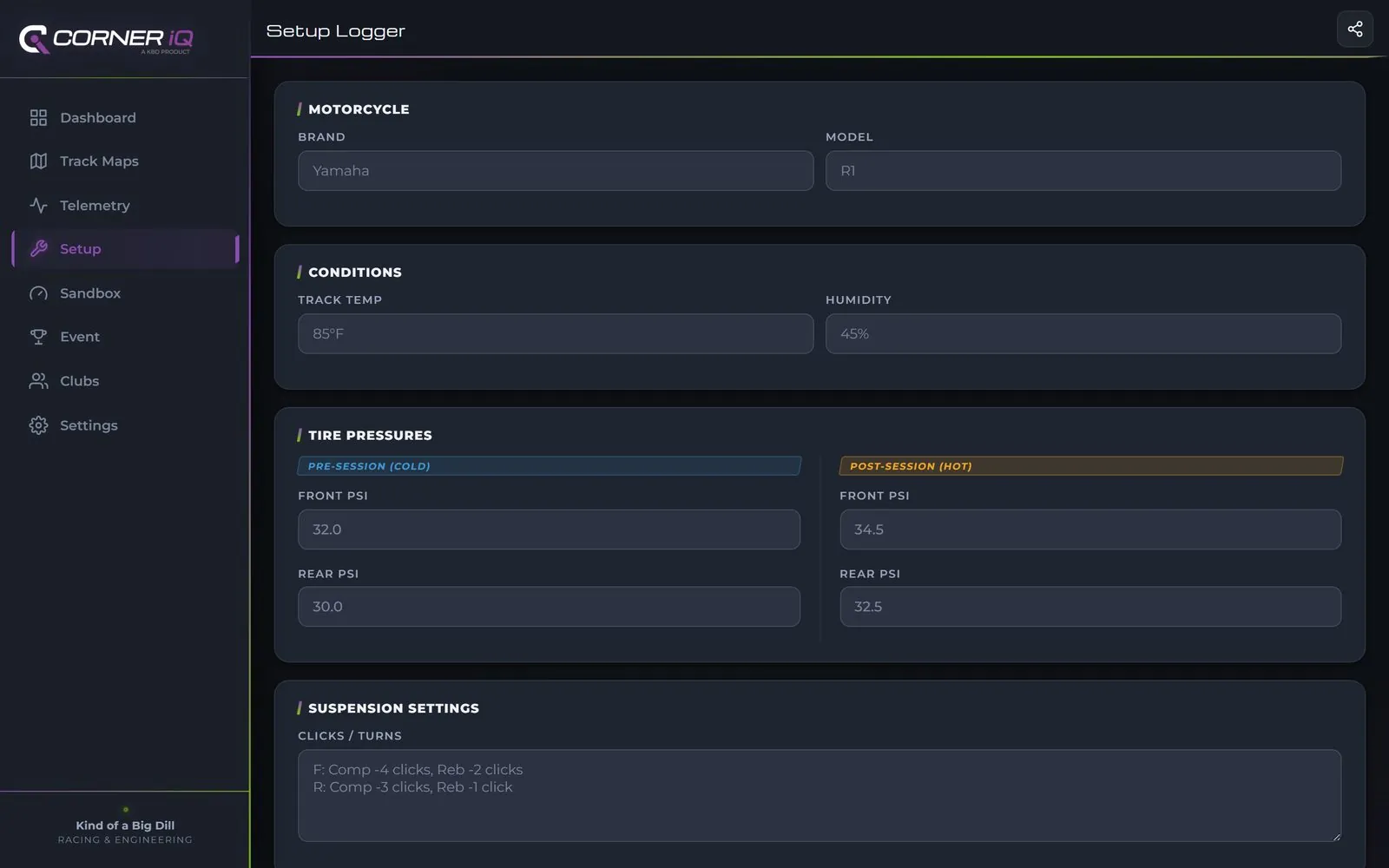
Cold and hot tire pressures, suspension clicks, gearing — every save kept, linked to the sessions run on it, with the cold-to-hot pressure rise judged per tire, so a setup change is never a guess next time you're at the same track.
Rider gets you the map. Pro remembers the whole season.
Rider covers the full track library and corner-logging tools — plenty if you're just after a reference and a place to jot setup notes. Rider Pro adds Telemetry itself, plus memory: your corner notes and session history stick around after you close the app, so you're building a record across a whole season instead of starting over every track day.
Log every corner, let the app find the pattern
Draw your line, tap any point on track to leave a phase-tagged note, and the app flags what's actually costing you time — before you've even opened Telemetry.
- Draw and compare multiple race lines on the same corner, one color per lap
- Tag every note by corner phase — entry, mid-corner, or exit — not just a pin on a map
- Automatic pattern detection flags recurring issues before you've reviewed a single lap yourself
Not just charts — a debrief that reads like your engineer wrote it
The AI Race Engineer reads every session together: the trend across laps, the one thing actually costing you time, and a split action plan for rider and mechanic. Tap on any flagged corner and it jumps you straight to that turn's placard on the satellite map — and flags it if you'd already logged a note there yourself. Switch the map to color by speed, lean angle, or brake/accel G to see exactly where each number came from.
Analyzed 20 laps across loaded sessions. Pace has plateaued over the recent stints. Variance in corner entry speed suggests a technique limitation — inconsistent visual reference points — rather than a mechanical ceiling.
Excessive coasting detected — time off-throttle and off-brakes is at 8.4%. This unloads the front suspension prematurely, reducing the tire's contact patch at turn-in.
Consistent progression in apex speed and maintained trail braking pressure.
- T5: 71.0 → 90.4 mph
- T15: 93.8 → 114.4 mph
- T17: 46.7 → 66.2 mph
Rider is fully coasting at the apex (0G) on multiple corners — suspension unloads and the bike runs wide.
- T3, T7, T8, T9, T13, T16, T18, T19
Brake pressure held smoothly into the corner with no early releases or lock-ups flagged.
- T1: maintained to 38 mph
- T11: maintained to 41 mph
Throttle applied before the bike is fully turned in — trims mid-corner grip margin.
- T4, T12
Rider Tasks
- Eliminate coasting — transition from full throttle immediately to initial brake bite.
- Focus on a static, deeper brake marker. Compress the braking zone.
Mechanic Tasks
- Monitor front fork travel. Add a zip-tie to confirm we aren't bottoming out under harder braking.
One code in, a full leaderboard out
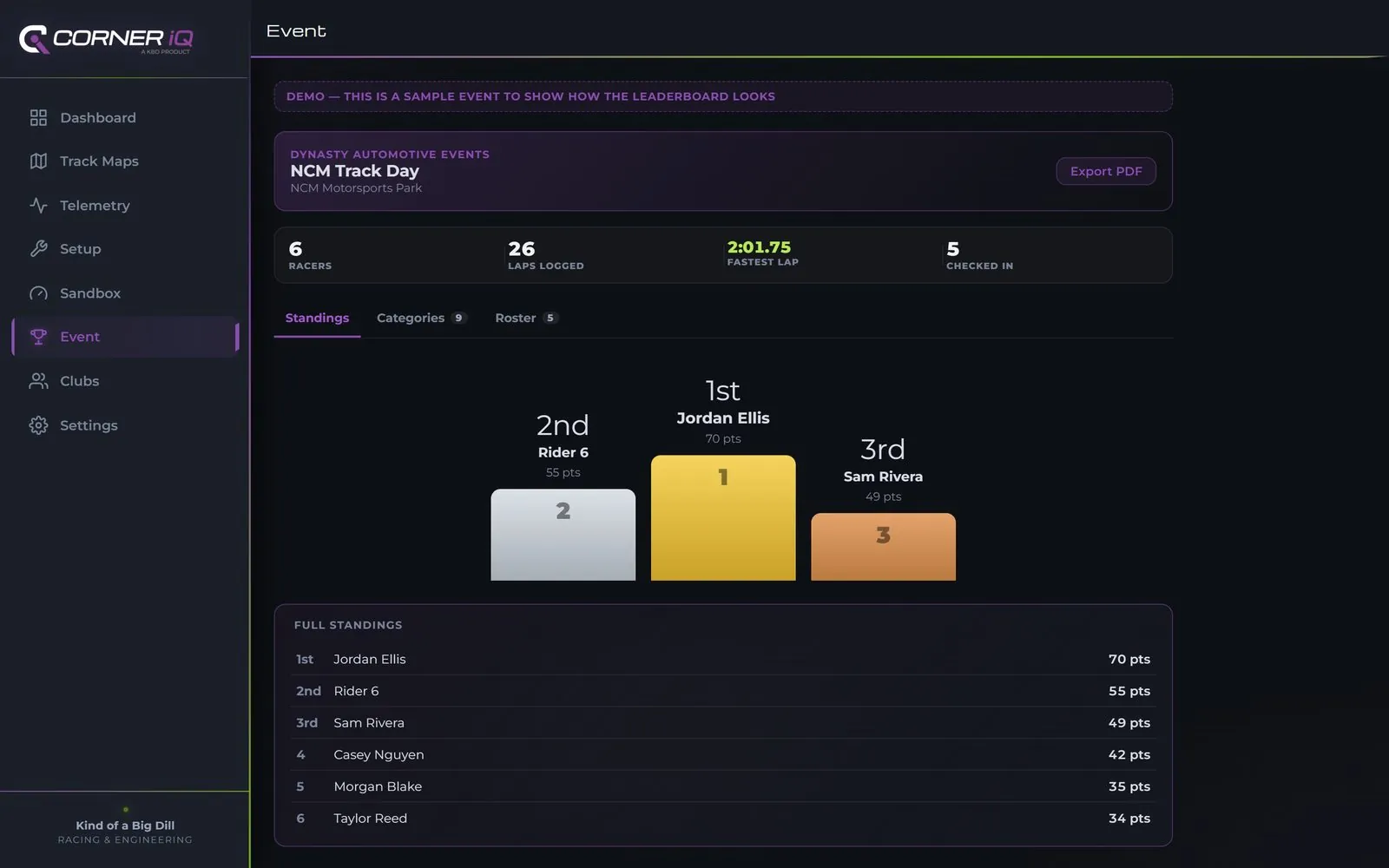
A racer picks their skill level (Novice, Intermediate, Advanced) and taps in their club or event code once. Every RaceBox / AiM Solo session they submit that weekend scores automatically — fastest lap, top speed, G-force, consistency — and rolls up into a live 3-tier podium and branded standings board everyone at the event can check between runs, plus a Most Improved award for the biggest lap-time drop of the day.
| 1 | Morgan Blake | 61 pts |
| 2 | Sam Rivera | 58 pts |
| 3 | Taylor Reed | 58 pts |
| 4 | Casey Nguyen | 45 pts |
| 5 | Jordan Ellis | 33 pts |
| 1 | Taylor Reed | 2:03.08 |
| 2 | Morgan Blake | 2:04.00 |
| 3 | Casey Nguyen | 2:04.92 |
| 1 | Morgan Blake | 151.8 mph |
| 2 | Sam Rivera | 147.1 mph |
| 3 | Casey Nguyen | 145.4 mph |
| 1 | Sam Rivera | 1.30 G |
| 2 | Taylor Reed | 1.27 G |
| 3 | Morgan Blake | 1.23 G |
| 1 | Morgan Blake | 98.5% |
| 2 | Casey Nguyen | 97.5% |
| 3 | Sam Rivera | 93.1% |
Overall Standings score placement points across lap time, top speed, and G-force — the side boards below break out braking G, left/right lean, lap count, and consistency on their own, so an organizer can spotlight more than just outright pace. Every board updates the moment a racer's session imports. OMRL and ASRA riders get this unlocked through their event code; running your own trackday gets a branded board of your own — see For Organizations. Want this same scoring to carry across every trackday you and your crew run, all season — not just one weekend? That's Clubs, below.
The lap you have already driven, in pieces
Corner IQ splits every lap by distance along the centreline, not by elapsed time. A sector boundary therefore falls at the same physical point on every lap and in every session — which is the only way “my best sector two from Sunday plus my best sector one from Tuesday” is a real number rather than an average of unrelated stretches.
| Lap | S1 | S2 | S3 | Lap time |
|---|---|---|---|---|
| 1 | 34.316 | 71.228 | 21.885 | 2:07.429 |
| 2 | 33.969 | 69.129 | 22.336 | 2:05.434 |
| 3 | 33.177 | 68.927 | 21.903 | 2:04.007 |
| 4 | 34.872 | 69.286 | 21.712 | 2:05.870 |
Real data from a RaceBox session at NCM, not a mock-up.
Your fastest sector three came on lap four, after your fastest lap. String them together and the time is already yours — you have driven every piece of it. Load several sessions from the same circuit and the best sectors are taken across all of them, whatever day they happened on.
The screens a session earns
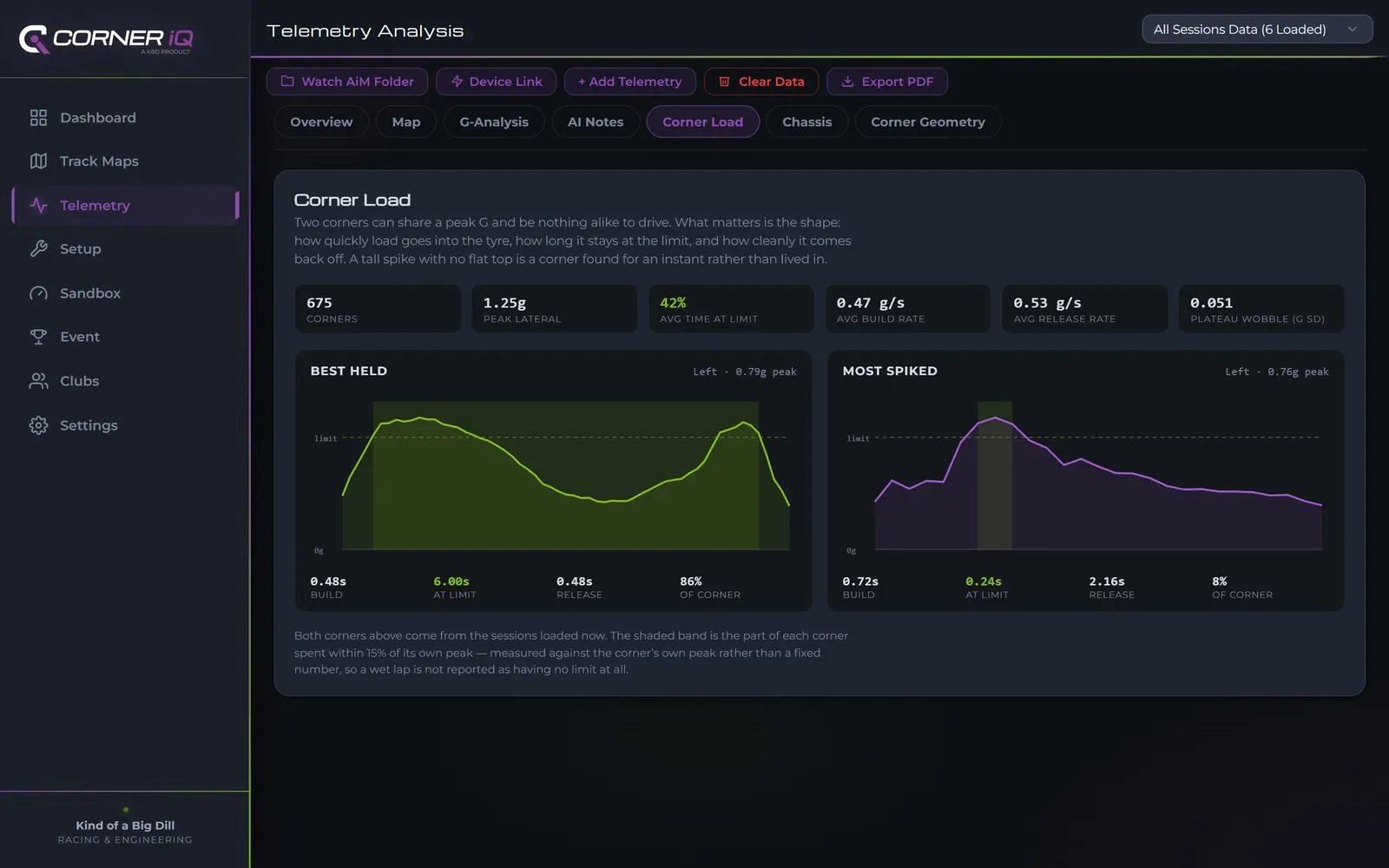
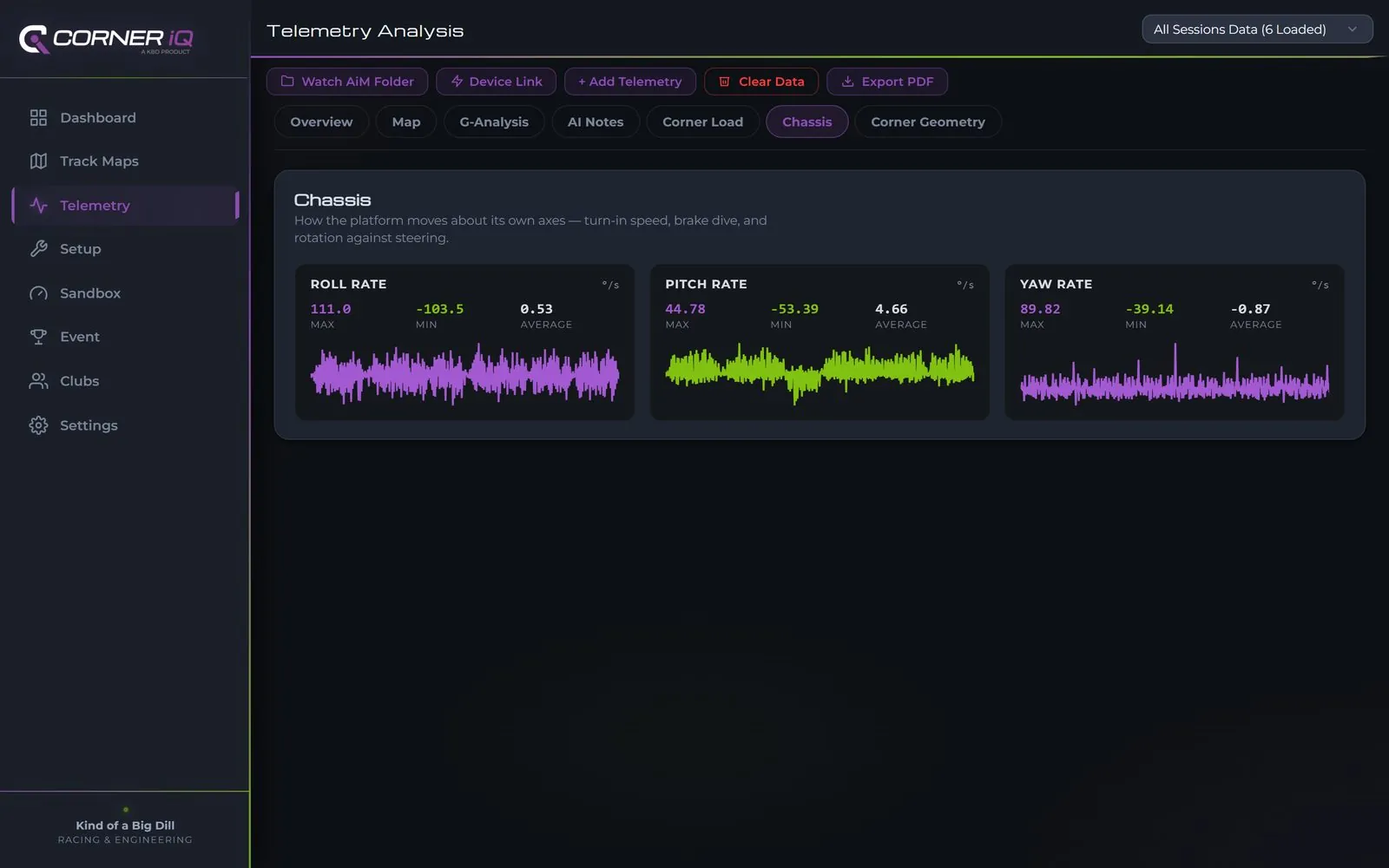
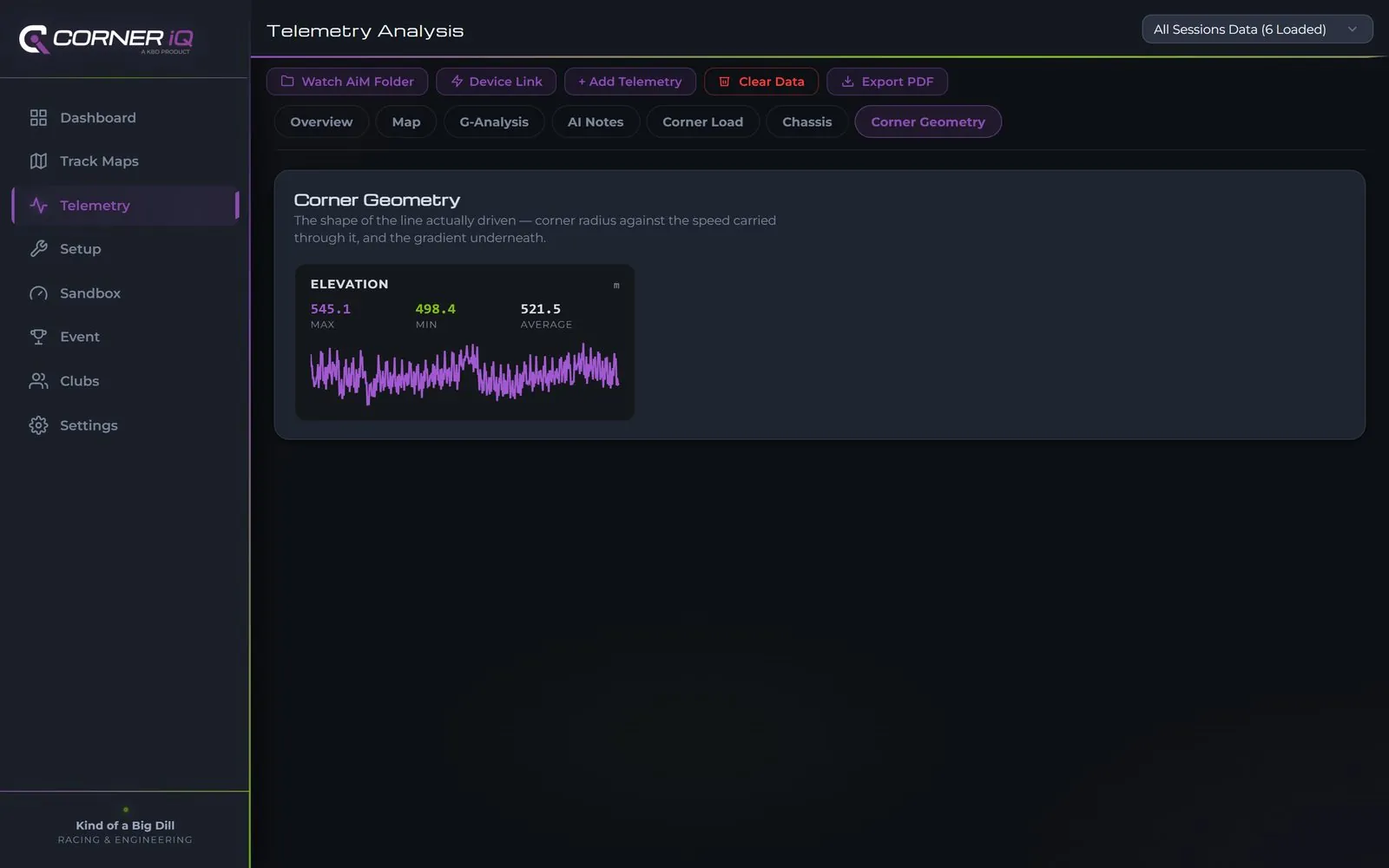
Corner IQ reads what your logger actually recorded and opens the screens that data supports — no more, no less. A GPS-only lap gets the maps and the traction circle. A session carrying attitude rates gets Chassis. One with corner radius gets Corner Geometry. Plug in an ECU-fed AiM, a RaceCapture log or live iRacing and Driver Inputs and Engine appear too. A tab that would open onto an empty chart is never shown at all — you can always tell a missing sensor from a broken screen.
The same engineer for your rig and your bike
Corner IQ reads iRacing’s native telemetry directly. No converter, no extra
software to buy — open the .ibt your session already wrote and it
is analysed with exactly the same sector and theoretical-best maths as a real lap.
.csv RaceBox · AiM · any GPS logger
.xrk AiM Solo native
.drk AiM native
.vbo Racelogic VBOX
.ibt iRacing native
.log AutosportLabs RaceCapture
Every parser produces the same normalised lap, so sectors, maps, records and leaderboards work identically whichever box — or sim — wrote the file.
Forty of the circuits Corner IQ surveys also exist in iRacing — Barber, Road Atlanta, Spa, Suzuka, Watkins Glen. They appear under Moto, Auto and Sim, because a venue belongs to every discipline it actually serves. Another 122 iRacing circuits are listed alongside them.
Sim sessions are detected at import and badged everywhere they appear. They are welcome in the app — they are never quietly mixed into a leaderboard beside real track laps. A board is worth exactly what its credibility is worth.
373 circuits across 66 countries
Every circuit ships with real satellite imagery, and 171 carry a surveyed centreline, 44 of them with numbered corner markers on top — 248 in Moto, 219 in Auto, 56 in Kart and 145 tagged for Sim Racing. A venue with several layouts is listed once, with every layout inside it, the way NCM carries its Bike Loop and Grand Full Course. New tracks are added every month, largely from rider requests.
No tracks match that search.
Your own club, with season standings that never reset
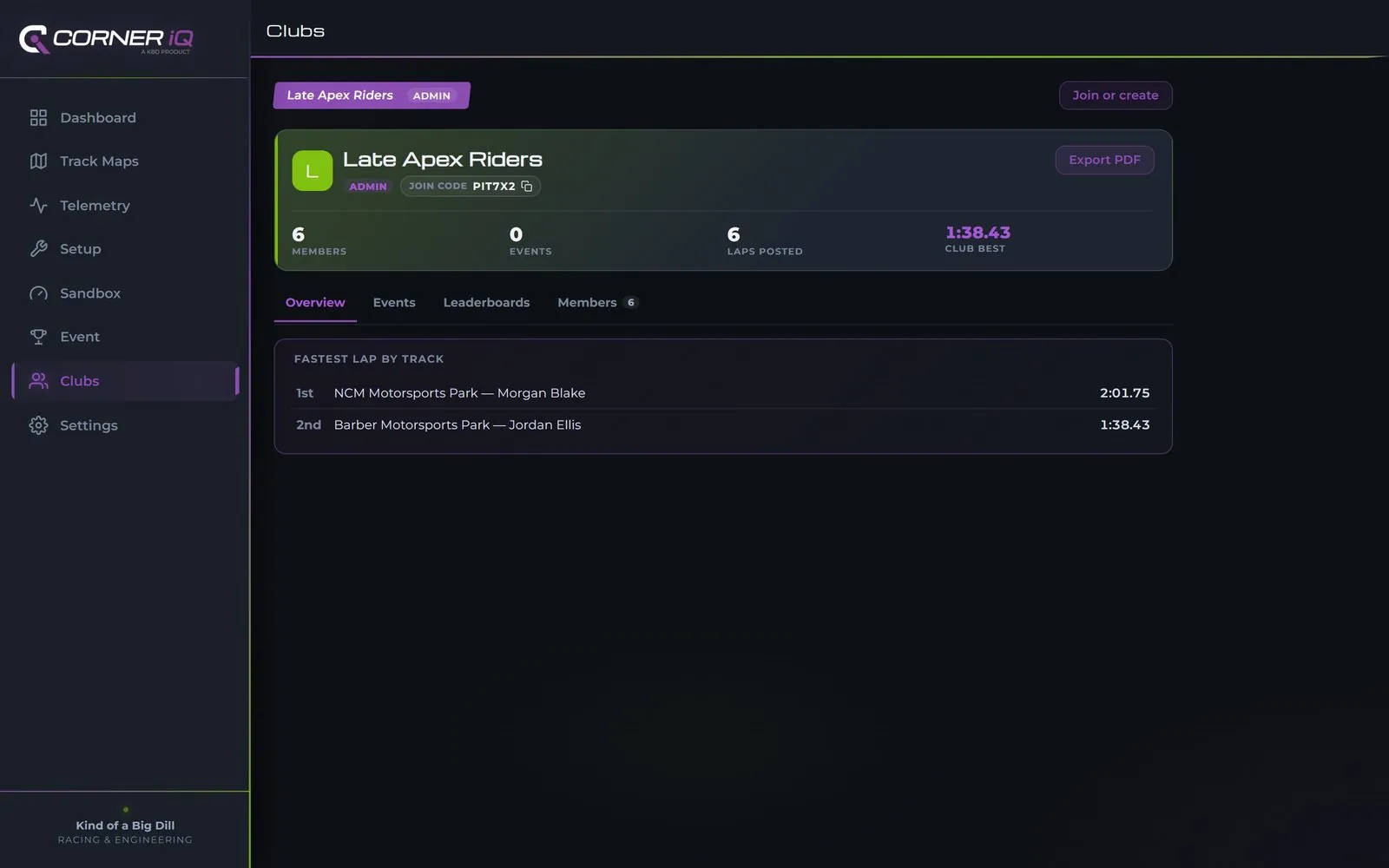
A club is your crew's home base — create one and every trackday you run together rolls into one live season standings board, not five disconnected event screens. Anyone can join a club with a code for free; between organized events, members can also submit a practice session straight to the club's leaderboard, track by track.

| 1 | Morgan Blake | 138 pts |
| 2 | Sam Rivera | 121 pts |
| 3 | Taylor Reed | 114 pts |
| 4 | Casey Nguyen | 89 pts |
| 5 | Jordan Ellis | 62 pts |
| 1 | Sam Rivera | 44 pts |
| 2 | Morgan Blake | 37 pts |
| 3 | Jordan Ellis | 29 pts |
Joining a club with a code is free for every rider. Creating your own — plus the season PDF export — is a Rider Pro / Club-Event perk, and the owner can hand out Admin badges so more than one person can post events and manage the roster. Every event a club runs plugs straight into the same live leaderboard shown above — Clubs just keeps score across all of them, all season.
Try it free for 7 days
Every install starts with the same 7-day trial of the whole app — every track map, telemetry import, the AI Race Engineer, all of it. No card up front.
Start the 7-day trial
Install it and go. The trial opens the full app on whatever you already ride with — phone, tablet or laptop — and nothing is held back during it.
Get the app → Or try it in your browser →Contact for access
Riding past the trial, or running a club, a race weekend or a coaching group? Get in touch and we will set your access up directly.
Contact us →Download it. Trial it free for 7 days.
Every install starts the same 7-day free trial, with the whole app open during it. Pick your platform below.
New in 1.19 — sessions stay on the device between launches, with a Sessions list to manage them; mph/km/h and °F/°C app-wide; Lap vs Lap, two laps on one distance axis with the running time difference and every turn marked; a live lap timer over RaceBox Bluetooth with last, best and predicted lap, saved as a session; setup history with sessions linked to the setup they ran on and cold-to-hot pressure rise judged; offline satellite maps for a circuit; a shareable session card; live conditions at the circuit; spoken corner notes. 1.17 and 1.18 brought I2M Chrome .dat import, the corner navigator, named corner-load cards and channel notes.
Built for sim racers. iRacing publishes its telemetry into Windows shared memory, which no browser can read at any price — so on the web version you had to install Python and leave a console window open. The desktop app reads it directly and starts the reader for you, invisibly. Installs per user, so no administrator password. On first run Windows will say "Windows protected your PC" — click More info → Run anyway. The installer isn't code-signed yet, and that warning is what Windows shows for any publisher it hasn't seen enough of.
Download for Windows (134 MB) →Open trackengineer.kindofabigdill.com in Chrome or Edge, then click the install icon in the address bar (or menu → "Install Corner IQ"). It opens in its own window with a taskbar icon and no address bar. Everything works except live iRacing, which needs the Windows app above.
Open in Browser →Pairs with a RaceBox Mini / Mini S / Micro over Bluetooth to record live trackside — the one thing the browser version can't do on Android. Since it's not on the Play Store yet, Android will show an "Unknown app" warning on first install — tap Install anyway. Your phone may ask you to allow installs from whichever app you used to open the file. Samsung phones: if the install is silently blocked with no prompt at all, Samsung's own Auto Blocker (Settings → Security and privacy → Auto Blocker) is likely on — it stops sideloaded installs outright, separately from the usual "unknown sources" permission. Turn it off, install, then turn it back on.
Upgrading from 1.5 or earlier? Uninstall the old Corner IQ first. 1.6 is signed with a new key, and Android refuses to replace an app with one signed differently — the install just fails, usually with an unhelpful error. Sessions you have synced to your account come back when you sign in; anything recorded while signed out lives only on the device, so export it first if you want to keep it.
Download APK (15.9 MB) →A native iOS build is in progress, but Apple doesn't allow direct-download installs outside its App Store/TestFlight review process either way. In the meantime, open trackengineer.kindofabigdill.com in Safari, tap Share → Add to Home Screen — it's the same app, full-screen, with its own icon.
Built alongside the grassroots
Corner IQ grew up trackside with OMRL minibike racers and ASRA roadracers — the app's free trial and event codes exist because of that.
OMRL — Ohio Minibike Racing League
Kartway, oval, and minibike circuits are logged in the free track library. OMRL riders get an event code that carries Rider Pro at event weekends.
omrlmoto.com →ASRA — American Sportbike Racing Association
Road course regulars get the same event-code path to Rider Pro — save your data across the whole race weekend, not just one session.
asraracing.com →Running a series, club, or event weekend?
Kind of a Big Dill builds custom crew and event integrations on top of Corner IQ's account system — a branded portal, a dedicated club code, or a purpose-built check-in flow for your organization's racers and crew. Available as a paid engagement.
Talk to us about your event →Before you ask
.xrk, .drk), I2M Chrome (.dat, with its six-axis IMU read in full), Racelogic VBOX (.vbo), RaceCapture (.log) and iRacing (.ibt, or live on the desktop app). Drop the file in as the logger wrote it — no conversion, no spreadsheet cleanup.Making it effortless to connect your gear
Corner IQ started as CSV import. The goal is a direct, live connection to whatever telemetry hardware you're already running — no cables, no manual exports, no reformatting. Here's where that stands today, starting with RaceBox and AiM Solo.
Pairs directly over Bluetooth — start and stop recording from the app itself, no file export step at all.
Confirms your laptop can see the Solo today. Full wireless session transfer is blocked on AiM publishing a third-party data protocol — we'll ship it the moment there's a path. Native .xrk/.drk files import directly in the meantime, no CSV export needed.
Point it at a folder once — drop a file in from USB, SD card, or a device's own app, and it's in Corner IQ within seconds. Works for any device today, while direct connections roll out brand by brand.
.dat · measured lean.vbo.ibt.log.xrk · .drkRead natively rather than converted. Lap times are cut by interpolating the exact start/finish crossing instead of snapping to the nearest sample — on a 25 Hz log that is worth about four hundredths a lap, every lap. The I2M Chrome’s six-axis IMU is read at its full 100 Hz and the lean angle comes from the roll gyro — measured, not inferred from lateral G.
.ibtTitles covered: iRacing, Assetto Corsa and Competizione, rFactor and rFactor 2, Project CARS 1 & 2, RaceRoom, KartKraft, and F1 2017 onward. Circuits that exist only in the sims are labelled as such, so a sim lap and a real one are never quietly compared.
RaceBox is fully wireless already — connect, record, and review without ever touching a file. AiM Solo riders get there today through native file import and folder-watch, with a direct wireless path next in line the moment AiM opens one up. If there's a device you wish just worked with Corner IQ, tell us — this list grows from rider requests.
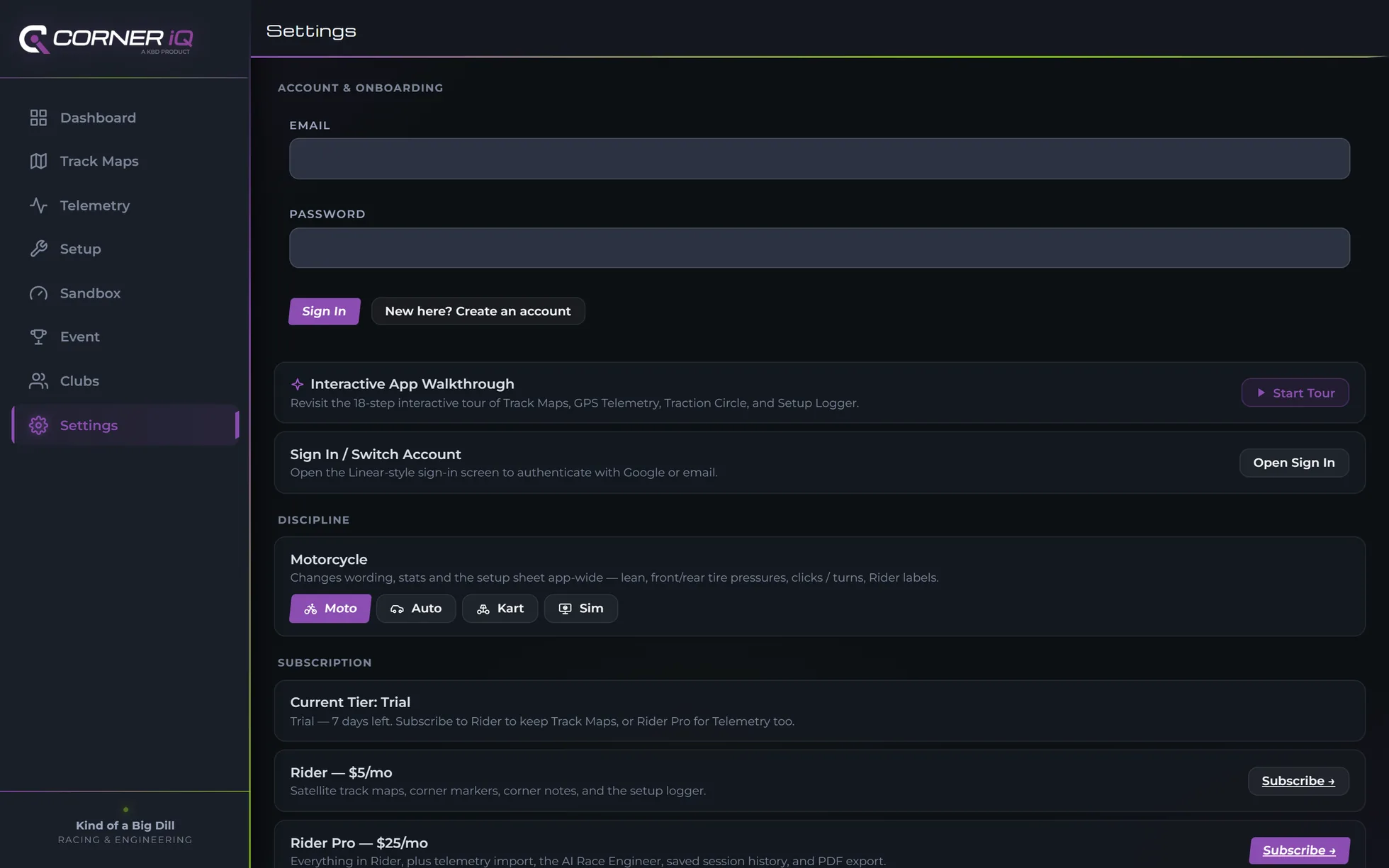
Corner IQ was built vehicle-neutral on purpose — the same GPS turn markers work whether a bike, a car, a kart or a sim rig takes the corner. That is no longer a plan: one switch in Settings re-labels the whole app for Moto, Auto, Kart or Sim Racing, and it stays the same account either way rather than becoming a second one.
- One switch in Settings re-labels the whole app — Rider or Driver, not a second account
- 4-corner tire pressure (FL / FR / RL / RR) where the vehicle has four
- Peak Lateral G in place of lean angle, everywhere lean shows up today
- Chassis, crew and feedback fields worded for the discipline you actually run
Own a bike and a car? Same account, same tracks, same history — just a different view.
Nine confirmed new circuits launching alongside Auto mode — Sebring, Watkins Glen, Sonoma, Palmer, Eagles Canyon, MSR Houston, Portland International, Indianapolis Road Course, and Pacific Raceways — plus richer layout data for tracks already in the library, like NCM's Bike Loop vs. Full Course vs. Pro Course.
The library reaches 66 countries today, not just the US — the map, corner-marker and telemetry engines were always location-agnostic, so adding a circuit abroad is a data job rather than a rebuild. Riders can submit corner maps for their home circuit straight from the app, and requests are what drive the order things get added in. Browse the current library →
No preset track needed. Record a canyon run, an autocross course, or your own driveway and get a speed-colored trace plus 0-60, ⅛-mile, ¼-mile, and braking-distance stats — built on the RaceBox you already run, with Dragy support planned alongside it. Save a route once and every later run gets timed against your own best. Private by default — this is for closed courses and your own driving, not a public-road leaderboard.
This is early planning, not a built feature yet — we're sequencing it behind finishing the car-specific parts of Setup and Telemetry so it launches complete, not half-done. Own a car and want in early, or have a track you'd want added? Tell us.